API Settings
Welcome to the API Settings section! This guide will help you manage your HotelX Pull Buyers API connection with ease.
What's Inside API Settings?
The API Settings section allows you define default values for your HotelX Pull Buyers API requests. These defaults are automatically applied whenever a request (query or mutation) does not include certain parameters.
- You can set defaults at various levels: Organization, Client, Supplier, and Access. The more specific the level, the higher its priority.
- Settings defined in your API request (at the query or mutation level) override all other default settings. The priority order (from highest to lowest) is: Query/Mutation > Access > Supplier > Client > Organization.
Getting Started
-
Log in to our Platform.
-
Go to “Connections” > “API Settings”.
-
Explore the following configuration options:
1. Organization Settings
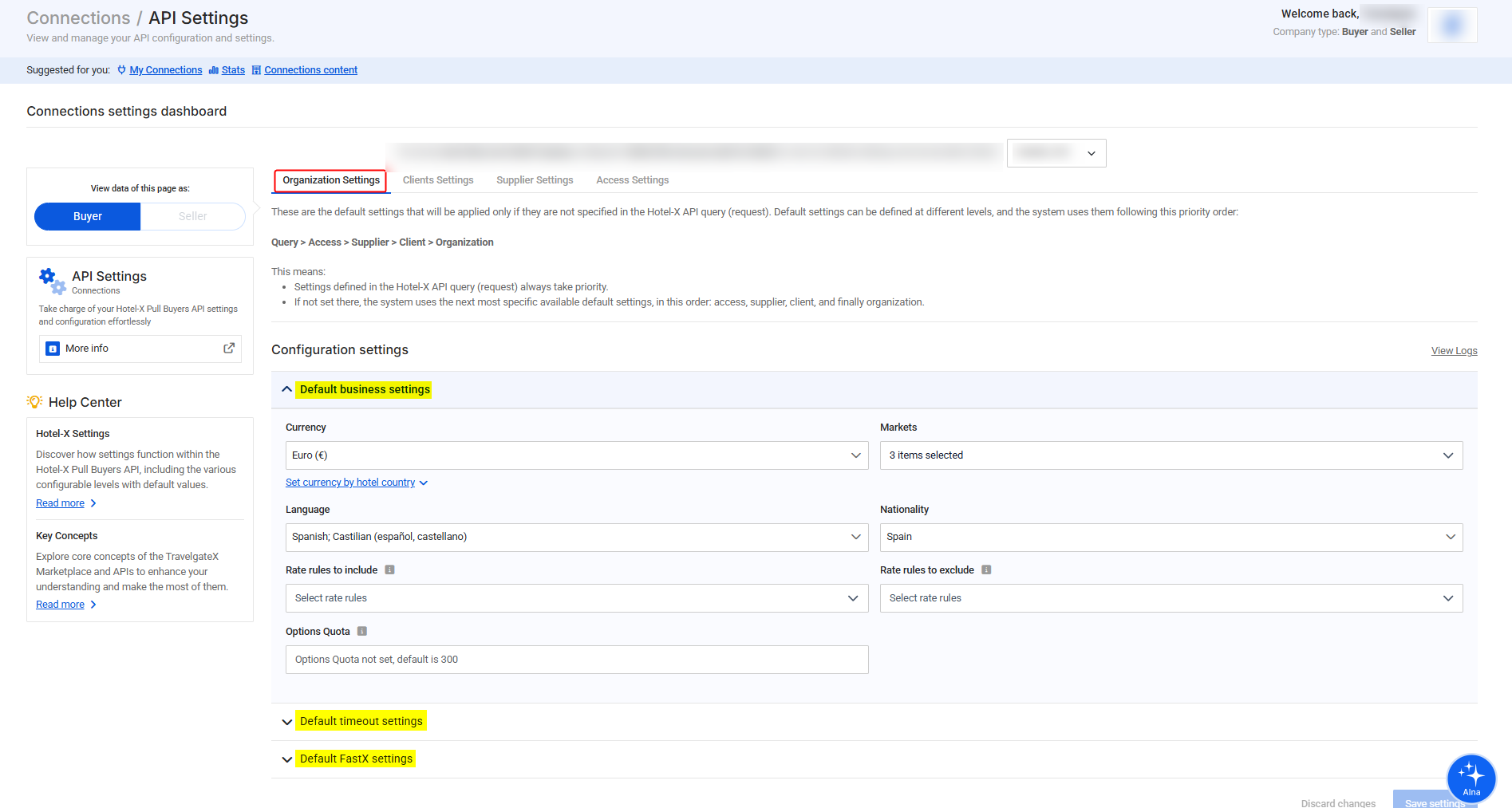
This is the most general level of configuration. Settings applied here affect your entire Organization or HotelX Group.
At this level, default settings are grouped into three main categories:
-
Default business settings
Related to business and search criteria fields used in your queries, such as currency, market, nationality, and rate rules (for example, package, refundable, non-refundable, etc.). -
Default timeout settings
Define the default timeout values applied to Search, Quote, and Book requests. -
Default FastX settings
Related to FastX-specific functionalities in the booking flow when using FastX hotel codes, allowing you to control how FastX behaves across your searches and bookings.
infoRefer to our HotelX API Settings documentation for more details.
2. Clients Settings
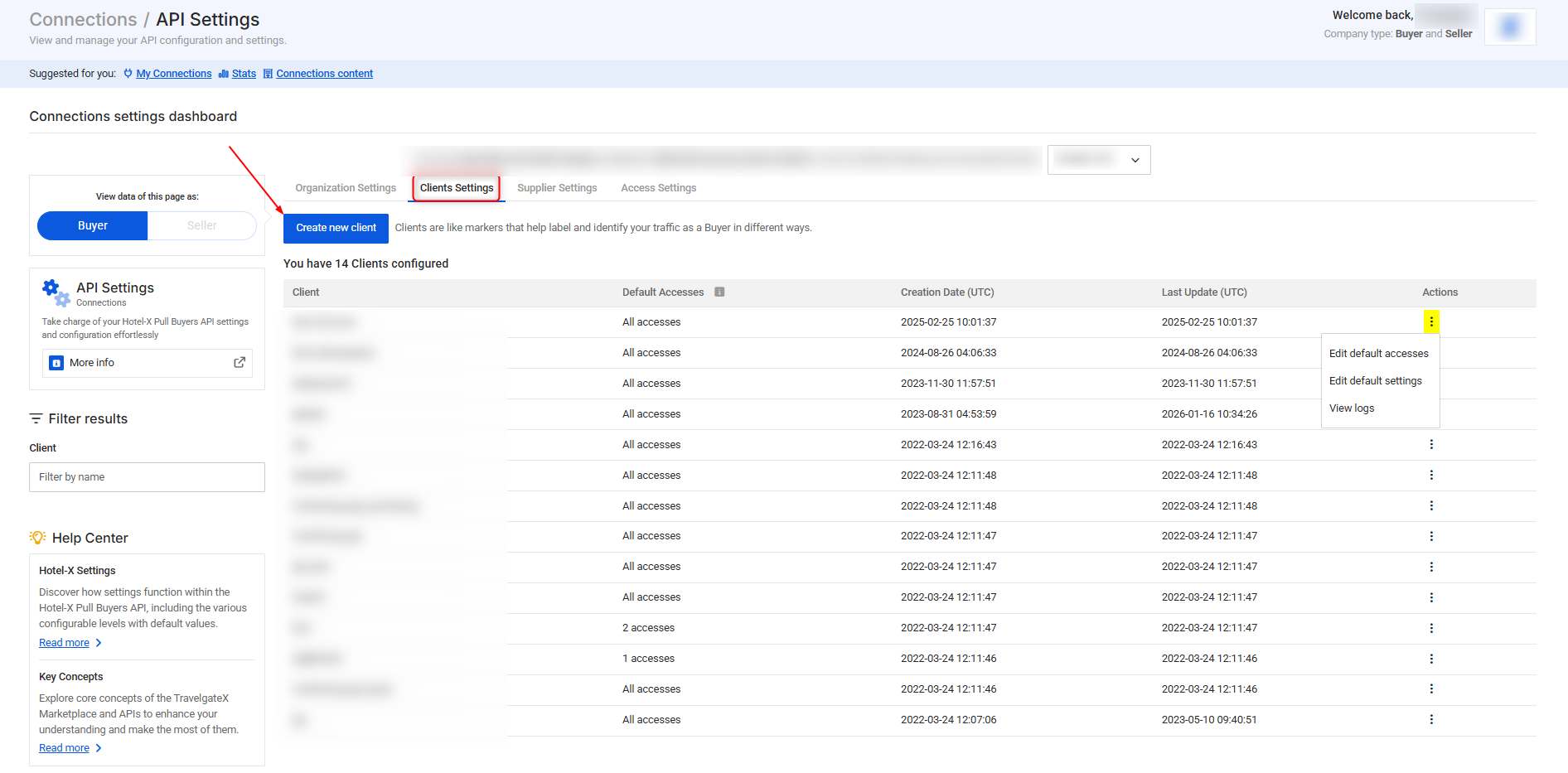
Use this section to manage your HotelX clients or create new ones. Clients serve as labels to organize traffic and configuration.
-
Create a New Client
To add a new client. By default, new clients inherit all connection accesses. If your Search query doesn’t specify an access, all available accesses will be used. -
Edit Default Accesses
To manage access permissions for a client. Uncheck the default box and select the specific accesses you want. If you've assigned specific access permissions to your clients, always use the corresponding clients in your requests to avoid any issues. -
Edit Default Settings
To define settings that override the organization-level defaults. -
View Logs
To review the history of changes applied to the client configuration. This section shows what was modified, when the change occurred, and which user performed the action.
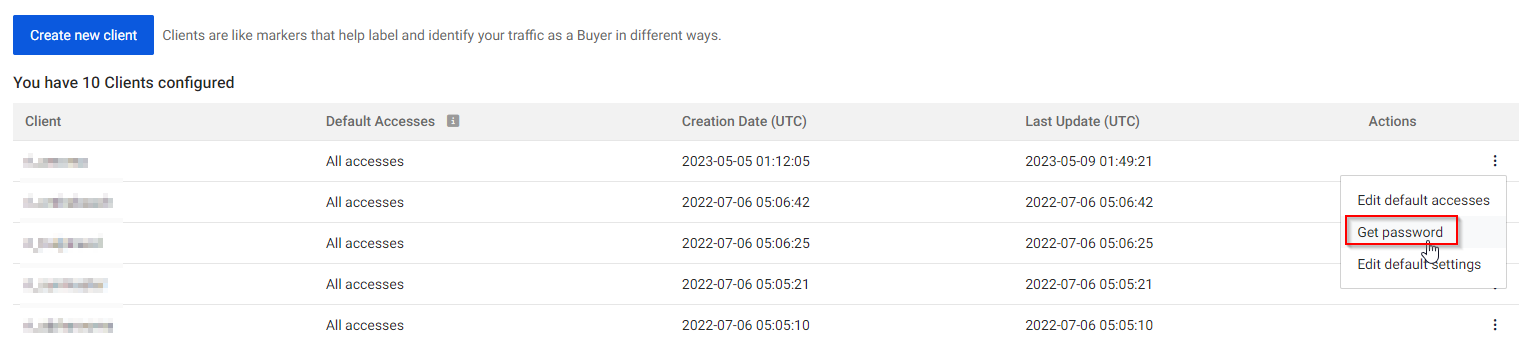
Using Our Legacy Pull Buyers API?Legacy clients (or "hub users") have an associated password that you can retrieve by clicking "Get Password". If you're unable to retrieve the password, don't worry, simply reach out through the Support Portal.
3. Supplier Settings
-
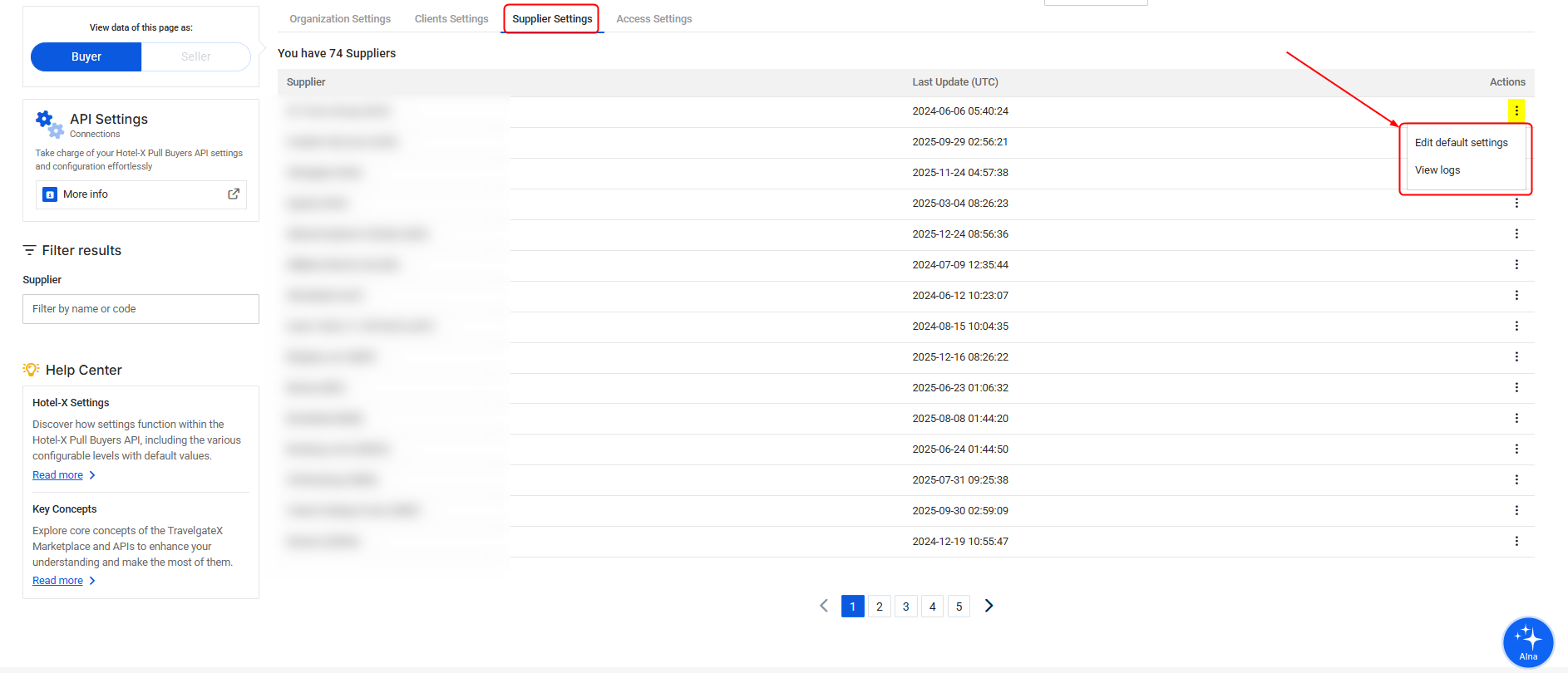
Edit Default Settings
To define default configurations for a specific supplier. These settings override both Organization and Client defaults and apply to all accesses linked to that supplier. -
View Logs
To review the history of changes applied to the supplier configuration. This section shows what was modified, when the change occurred, and which user performed the action.
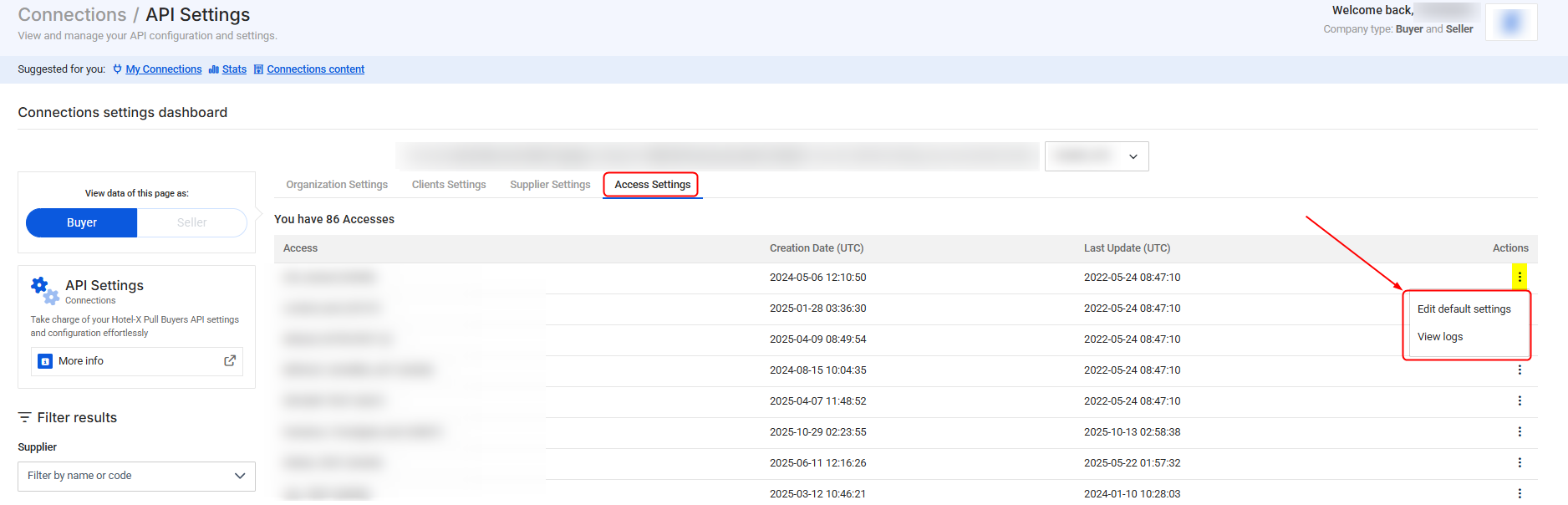
4. Access Settings
-
Edit Default Settings
To define default configurations for a specific access. These settings override Organization, Client, and Supplier-level defaults, and are only overridden by values explicitly set in the API request. -
View Logs
To review the history of changes applied to the access configuration. This section shows what was modified, when the change occurred, and which user performed the action.
-